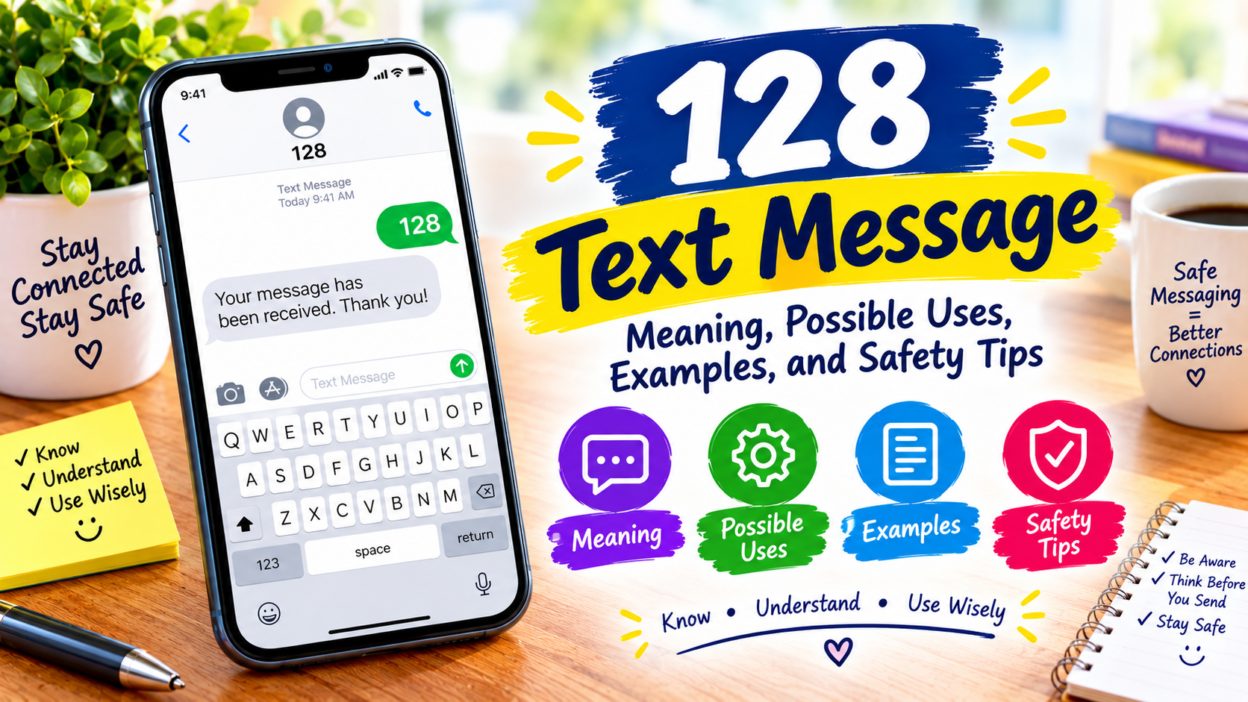
A 128 Text message can be confusing when it appears unexpectedly on your phone. You might notice the number 128 in your SMS inbox, see it listed as a sender, or receive a message containing a verification code, notification, or unfamiliar link. Naturally, you may wonder who sent it, why you received it, and whether it is safe to respond.
The meaning of a text from 128 depends on the message’s content, your mobile carrier, and the service associated with the sender. The number alone is not enough to identify a specific company or confirm whether a message is legitimate. In some cases, a short number may be associated with automated messaging, but that does not prove that every message from 128 has the same source.
In this guide, you will learn how to understand a 128 Text message, recognize common types of SMS notifications, check whether a message is genuine, and protect your personal information. You will also discover what to do if you receive an unexpected verification code, suspicious link, or message requesting payment details.
If you are unsure about a message, the safest approach is to verify its source independently before clicking a link, sharing information, or replying.
📱 What Does a 128 Text Message Mean?
A 128 Text message is most commonly discussed in connection with T-Mobile usage records, where the number may appear as a message entry even though no ordinary text is visible on the phone.
- For some T-Mobile customers, the entry is associated with carrier-side activity, including voicemail-related notifications. However, the precise meaning can depend on where the number appears and how the carrier records that activity.
- Here is how to interpret the number in different situations.
- Where you see 128
- What it may mean
- T-Mobile usage history
- A carrier-recorded messaging or system event
- Phone bill
- An entry that needs to be checked against its description and charges
- Messages app
- A sender identifier that requires context before you can identify its source
- An unexpected message with a link
- A message that should be verified before you interact with it
- A message containing a verification code
- A code that may relate to an account sign-in or verification request
The most important point is that the number 128 alone does not identify the sender or prove that a message is safe or dangerous.
🔍 Why Does 128 Appear in Your T-Mobile Usage History?
If you use T-Mobile and find 128 in your detailed usage records, you may wonder why it appears when you never received a normal text message.
There are several possible explanations to consider.
📞 1. Voicemail Notifications
Voicemail systems communicate with mobile networks to notify your phone when a new voicemail arrives or when voicemail status changes.
Some T-Mobile users have reported seeing 128 entries around voicemail activity. Therefore, if you notice the number after receiving a voicemail, this may be a useful connection to investigate.
To check this possibility:
- 📱 Open your phone’s voicemail app.
- 🎙️ Check whether you received a new voicemail around the same time.
- 🕒 Compare the voicemail timestamp with the entry in your usage history.
- 📞 If the entries do not match or keep appearing unexpectedly, ask T-Mobile to explain the record.
A matching timestamp may help explain the entry, although it does not establish the cause with certainty.
🔄 2. Carrier or Network Activity
Mobile networks perform background operations to maintain service and deliver notifications. Some activity may appear in a carrier’s records differently from how it appears in your phone’s messaging app.
Consequently, a usage record does not always correspond to a visible text conversation.
If 128 appears only in your carrier account, check the entry’s description before assuming someone sent you a personal message.
📋 3. A Difference Between Usage Logs and Your Inbox
Your carrier’s usage history and your phone’s Messages app serve different purposes.
The carrier record shows activity according to its billing and network systems. Meanwhile, your messaging app displays conversations and messages that the device has received and retained.
This difference can explain why an entry appears in your account without a matching conversation. It does not necessarily indicate that a message was hidden or deleted.
💳 4. A Billing or Account Question
Sometimes, the main concern is not the number itself but an unexpected charge associated with it.
An entry in your usage history does not automatically mean that you were charged. However, if the bill shows an unfamiliar fee, you should investigate it instead of assuming it is harmless.
Review the following details:
- The date and time of the entry.
- Whether the record shows incoming or outgoing activity.
- Any listed charge or service description.
- Whether the charge appears once or repeatedly.
- Whether the carrier identifies a third-party service.
If the details remain unclear, contact your carrier and request an explanation of the specific line item.
🧾 Is the 128 Text Message a Real Text or a System Entry?
The answer depends on where you see it.
If 128 appears only in a T-Mobile usage log, it may represent carrier-recorded activity rather than a conventional SMS conversation. If it appears as the sender of an actual message in your messaging app, examine the message itself before deciding what it means.
A useful distinction is the difference between a sender number and a usage-log identifier.
An SMS short code is a shortened numeric address used to send or receive messages. Businesses and service providers use short codes for notifications, verification, and other messaging services.
However, not every short number operates as a standard public messaging service. You should not assume that 128 works like a regular business short code or that it can receive replies.
If you want to understand a particular entry, start by checking whether it appears in your carrier account, on your bill, or inside your actual text conversation.
🛡️ Is a 128 Text Message a Scam?
A 128 entry in a T-Mobile usage log is not, by itself, evidence of a scam. Nevertheless, the number alone cannot establish the legitimacy of every message or charge associated with it.
Scammers may send messages that imitate companies, delivery services, banks, and mobile providers. They may also use urgent language to persuade people to click links or reveal confidential information.
Watch for these warning signs:
- 🚨 A message claims your account will be closed unless you act immediately.
- 🔗 It includes an unfamiliar link and asks you to sign in.
- 🔐 It requests a password, PIN, or verification code.
- 💳 It asks for payment details to resolve an unexpected problem.
- 🎁 It promises a prize but requires personal information or a payment.
- 📩 It asks you to install an unfamiliar app or download an attachment.
Remember: A familiar-looking sender name or number is not sufficient proof that a message is genuine.
If you receive an unexpected message, do not use its links or contact details to verify the claim. Instead, open the company’s official app or website yourself, or call a support number from a trusted source.
🔐 What Should You Do If You Receive a 128 Text Message?
The correct response depends on what you received and where you found it. Use the following steps to investigate the issue without exposing your personal information.
Step 1: Check Where the Number Appears
First, determine whether 128 appears in your messaging app, your carrier’s usage history, or your monthly bill.
If it appears only in your usage history, investigate it as a carrier record. If it appears in a message conversation, read the message carefully without clicking any links.
Step 2: Read the Message Carefully
Look for the purpose of the message. Does it mention voicemail, account access, a payment, a delivery, or a verification code?
A message that provides ordinary information without requesting action may be different from one that asks you to reveal sensitive information. Still, the content should be verified when the sender is unfamiliar.
Step 3: Verify the Sender Independently
If the message claims to come from T-Mobile or another company, check the information through the company’s official customer support channels.
Do not rely on a phone number, link, or contact address supplied in a suspicious message.
Step 4: Protect Your Verification Codes
If you receive a one-time password or verification code that you did not request, do not share it with anyone.
An unexpected code may mean someone entered your phone number while attempting to sign in or register an account. It does not automatically mean that the person gained access.
If you suspect an unauthorized sign-in, open the relevant service directly, review your account activity, and change your password if necessary.
Step 5: Contact Your Mobile Carrier
If the number appears in your T-Mobile usage records and you cannot explain it, contact customer support.
Provide the date, time, and exact description of the entry. Ask whether it represents voicemail-related activity, another carrier event, or a billable service.
This is more reliable than guessing what the number means based on its appearance alone.
📞 How to Investigate an Unknown 128 Entry on Your Phone Bill
An unfamiliar usage record can look concerning, especially if you cannot find a corresponding message on your device. Fortunately, you can investigate it systematically.
1. Open your detailed usage records
Sign in to your carrier account and locate the relevant billing period. Find the 128 entry and record its date, time, and description.
2. Look for related activity
Check your voicemail, recent calls, and other account activity around the same time. A matching event may help you narrow down the explanation.
3. Check for unexpected charges
Review the amount billed, if any, and determine whether the entry is simply a usage record or an actual fee.
4. Ask the carrier for clarification
If the entry remains unexplained, ask customer support to identify its purpose and confirm whether any charge or subscription is associated with it.
Keep screenshots or copies of unfamiliar charges until the issue is resolved. If a fee is incorrect, ask the carrier how to dispute it and whether any associated service can be canceled.
💰 Can the 128 Text Message Cause Extra Charges?
The presence of 128 in your usage history does not automatically mean that you owe additional money.
Whether an entry has a cost depends on the service, your plan, and the details recorded by your carrier. A system entry and a third-party subscription charge are not the same thing.
If you see a fee you do not recognize, take these precautions:
- 🧾 Read the itemized bill instead of relying on the number alone.
- 📞 Ask your carrier to explain the charge and identify the service responsible.
- 🛑 Request cancellation of any unwanted subscription, if applicable.
- 💵 Ask whether you qualify for a refund or billing adjustment.
- 🔒 Ask how to block unauthorized premium messaging or third-party charges, if your carrier offers that option.
Do not assume that a specific fee is linked to 128 without confirmation from your provider.
📱 Why Does 128 Appear Without a Message in Your Inbox?
There are several reasons a carrier record might not have a matching conversation on your phone.
First, the carrier may be recording a network event rather than a conventional SMS. Second, the entry may reflect how the carrier classifies activity for account or billing purposes. Finally, the device and carrier may display different information because they use different systems.
If you cannot find a corresponding message, that alone does not establish that someone deleted a conversation, accessed your phone, or secretly contacted you.
Instead, compare the carrier record with your voicemail and messaging history. If the entry remains unexplained, your provider is best placed to investigate its internal records.
🌐 Is the 128 Code Used by Every Mobile Network?
No single interpretation should be applied to every mobile carrier.
The 128 entry is commonly discussed in relation to T-Mobile and its usage records. That does not mean other networks use the same number for the same purpose, or that every appearance of 128 has a connection to T-Mobile.
Short codes and carrier-specific identifiers can vary by country, network, and service. For example, a number used for a particular messaging service in one region may have a different purpose elsewhere.
If you use a mobile network outside the United States, including a Pakistani network, do not assume that the T-Mobile explanation applies to your SIM.
For the most accurate answer, identify your carrier and ask it to explain the exact entry you received.
📋 What Information Should You Give Customer Support?
If you contact your mobile provider about a 128 Text message, providing the right details can make the investigation easier.
Share the following information when appropriate:
- 📅 The date and approximate time of the entry.
- 📱 The mobile network and device you use.
- 🧾 Whether the entry appears in a bill, usage history, or messaging app.
- 💬 The description shown beside the entry.
- 💳 Whether an unfamiliar charge appears on the account.
- 🎙️ Whether you received or accessed voicemail around that time.
Never share your account password, one-time verification code, or other sensitive credentials with someone who contacts you unexpectedly. Use the provider’s official support channels to verify your identity safely.
❓ Frequently Asked Questions About the 128 Text Message
1. What does a 128 Text message mean?
A 128 Text message commonly refers to an entry found in T-Mobile usage records, where it may be associated with carrier-side activity such as voicemail-related notifications. Its exact meaning depends on where it appears and the details of the record.
2. Is 128 a T-Mobile short code?
The number 128 is frequently discussed in connection with T-Mobile’s internal or carrier-recorded activity. However, it should not automatically be treated as a standard public messaging short code. Ask T-Mobile to confirm the purpose of a specific entry.
3. Why is 128 on my phone bill but not in my messages?
Your carrier’s usage system may record activity that does not appear as an ordinary conversation in your messaging app. Check your voicemail and account history, then contact your carrier if you need a definite explanation.
4. Does a 128 Text message mean my phone has been hacked?
No. An entry labeled 128 does not, by itself, indicate that your phone has been hacked. If you also notice unfamiliar account logins, unexpected password changes, or other signs of unauthorized access, investigate those separately.
5. Can I reply to a text from 128?
Do not assume that 128 accepts replies. If you see an actual message from that number, check its content and verify the sender before responding. If it appears only in your carrier usage history, it may not represent a normal conversation.
6. Can 128 cause unexpected phone charges?
The number alone does not prove that a charge has occurred. Review your itemized bill and ask your carrier to identify any unfamiliar fees or subscriptions associated with the entry.
7. What should I do if I receive a suspicious message from 128?
Avoid clicking unfamiliar links, downloading attachments, or sharing passwords and verification codes. Verify any claims through the relevant company’s official website or app. If the message appears to be fraudulent, report it to your carrier using its recommended procedure.
8. Should I worry if 128 appears repeatedly?
Not necessarily. Repeated entries may relate to recurring carrier activity, but their meaning cannot be confirmed from the number alone. Compare the timestamps with your account activity and contact your provider if the pattern is unexplained or accompanied by unexpected charges.
Conclusion
A 128 Text message is most commonly associated with T-Mobile usage records, where it may represent carrier-side activity rather than a conventional text conversation. However, the number alone cannot confirm the exact cause, identify every sender, or establish whether a charge is legitimate. Check where the entry appears, compare it with voicemail and account activity, and review your bill for unfamiliar fees. If you receive an actual suspicious message, avoid clicking links or sharing private information until you verify the source. When the explanation remains unclear, contact your mobile carrier for an account-specific answer.