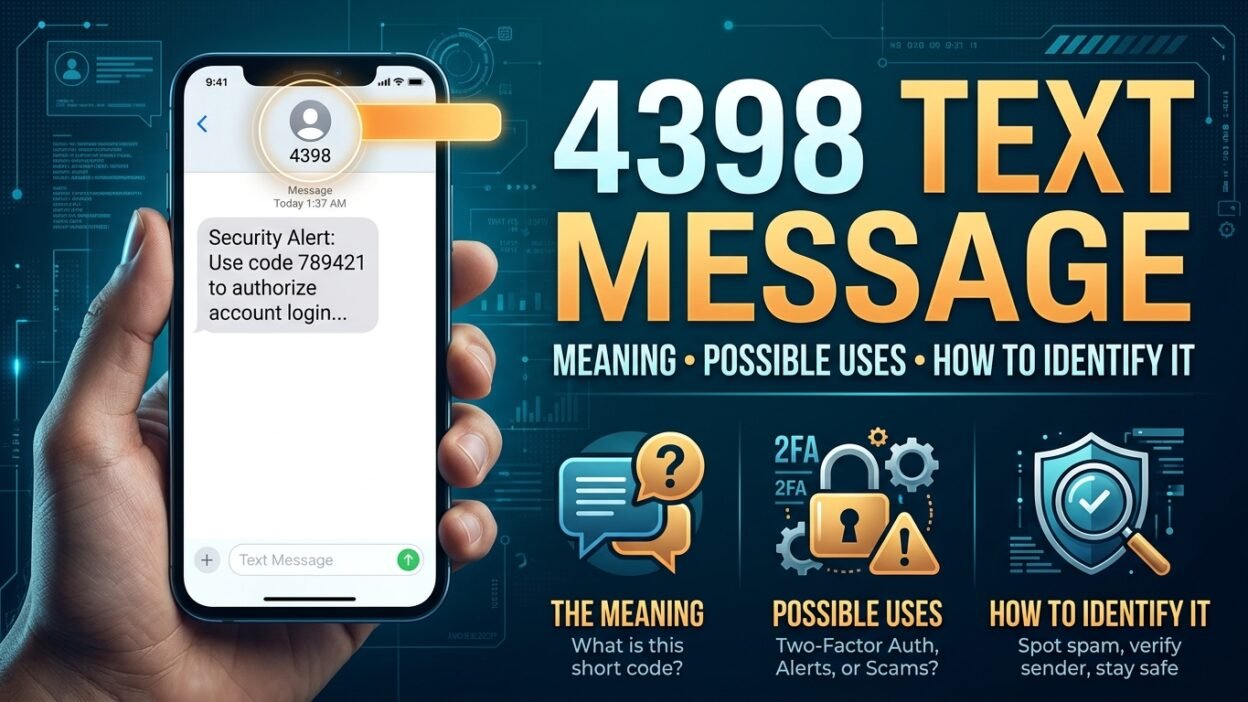
When you receive a message from an unfamiliar number, such as 44398, it’s natural to wonder who sent it and why. A short code like this may appear in a verification text, an account notification, a promotional message, or another type of automated communication. However, the number alone doesn’t reveal the sender’s identity or the message’s purpose.
Understanding the 44398 text message requires looking at the complete message, the service you recently used, and any links or instructions it contains. Short codes can serve different purposes, and their assignments may vary by country, mobile carrier, and organization.
This guide explains how to investigate a message from 44398, recognize potential warning signs, verify whether it relates to a service you use, and decide what to do next. You’ll also learn how to handle unexpected verification codes, avoid phishing attempts, and protect your personal information.
Important clarification: I can’t confidently verify a specific organization or service associated with short code 44398 from the number alone. Therefore, the guidance below distinguishes general short-code practices from information that would require confirmation from the sender or your mobile carrier.
🔎 What Is the 44398 Text Message?
The number 44398 is a five-digit SMS short code. In the United States, organizations use short codes to send automated messages to mobile phones, including account verification codes and service notifications.
Available online lookup information associates 44398 with Firebase Authentication and verification messages. Other online references connect it with app sign-ins, including Hinge. However, these listings don’t establish that every message from this number comes from one particular company.
Sender number: 44398
Number type: Five-digit SMS short code
Possible purpose: App verification or authentication messages
Verification status: Confirm the specific service using the message content and its official support resources.
Firebase is Google’s application development platform. Its authentication services can help applications verify phone numbers and establish that someone can receive messages at a particular number. Consequently, a text containing a verification code may relate to an app that uses Firebase rather than an application directly operated by Google.
The important distinction is that a verification message does not automatically mean your Google account has a problem. It may relate to another app, a sign-in attempt, or a phone number entered by mistake.
📱 Why Did You Receive a Text From 44398?
There are several possible explanations for receiving a message from this short code. The wording of the text and your recent activity can help you determine which explanation fits.
1. You requested an app verification code
This is one plausible explanation when the message contains a six-digit number followed by instructions to enter it into an application.
For example, you might be creating an account, signing in on a new device, or confirming your phone number. If you initiated that action immediately before receiving the message, the text may be expected.
2. Someone entered your phone number by mistake
Occasionally, a person enters an incorrect phone number while creating an account. If they accidentally enter yours, you might receive their verification code.
In that situation, you generally don’t need to take any action. Simply avoid sharing the code or using it to approve an activity you didn’t initiate.
3. Someone attempted to access an account
An unexpected authentication text can indicate that someone entered your number while trying to sign in or create an account.
However, receiving a code alone doesn’t prove that anyone accessed your account. The person may have stopped at the verification step because they couldn’t receive the code.
If the message relates to an account you recognize, open its official app and review recent security activity. Change your password if you find unfamiliar activity.
4. You recently used a dating or social app
Some online short-code directories associate 44398 with app verification, including Hinge-related messages. These associations can help narrow your investigation, but they aren’t sufficient to identify the sender of an individual text.
If you recently registered for a dating or social platform, check whether the message matches an action you took. If you haven’t used the service, don’t assume someone has created an account in your name without further evidence.
5. The message is unwanted or suspicious
You may also receive an unexpected message that you didn’t request. It could result from a mistaken number, an unwanted messaging campaign, or an attempt to trick you into revealing sensitive information.
Therefore, examine the actual content instead of trusting the number alone.
📨 What Does a Typical 44398 Verification Text Look Like?
A verification message often identifies the service and provides a temporary code. The exact wording varies according to the application and its authentication provider.
Here is an illustrative example, not a verified quotation from 44398:
Unknown service
Text message · Example only
Your verification code is 123456. Enter this code in the app to continue. Don’t share it with anyone.
The six-digit number above is fictional and is included only to demonstrate the format.
A legitimate verification message usually has a clear purpose, such as confirming a sign-in or phone number. It may also name the application requesting verification.
Nevertheless, scammers can imitate legitimate messages. A professional-looking text doesn’t prove its authenticity, and an unexpected code shouldn’t be shared with a caller who claims to be helping you.
Pay attention to three details:
- The service name: Does it match an application you recently used?
- The timing: Did you request a code shortly before the text arrived?
- The instructions: Does the message ask you to enter a code in the app, or does it demand payment or sensitive personal information?
If these details don’t make sense, verify the situation independently before proceeding.
🛡️ Is the 44398 Text Message Safe or a Scam?
The short code itself doesn’t establish whether a particular message is safe. Online directories associate 44398 with legitimate authentication use, but user-submitted reports also include suspicious-message complaints. Neither type of listing can authenticate the text on your phone.
The safest approach is to assess what the message asks you to do.
Message characteristic
What it may indicate
A code arrives after you request one
An expected verification process
A code arrives without any action from you
A mistaken entry or an unrequested sign-in attempt
Someone calls asking you to read out the code
A potential account takeover attempt
The text demands money to protect or unlock an account
A significant warning sign
The message contains an unfamiliar link requesting credentials
A possible phishing attempt
Several unexpected codes arrive repeatedly
Repeated verification attempts or unwanted activity
These signs provide guidance rather than a definitive verdict. For instance, an unexpected verification code can arrive without a criminal being involved.
On the other hand, a legitimate short code can be used in a confusing situation, and a scammer may try to exploit that confusion.
Never disclose a one-time verification code to another person. Enter it only into the official app or website when you personally initiated the action and have verified the service.
If you suspect a scam, don’t click its links or follow its instructions. Instead, open the relevant service independently and contact its official support team.
✅ What Should You Do After Receiving a 44398 Text?
Your next step depends on whether you requested the message. Fortunately, you can handle most situations without replying or clicking anything.
If you requested the code
Open the app or website where you started the process. Enter the code only if the request is still active and the service matches the one you intended to use.
If you didn’t request the code
Ignore the code and don’t share it. If the message identifies an account you use, check that account through its official app or website.
If the text contains a suspicious link
Avoid opening it. Navigate to the company’s official website yourself to check whether any account action is necessary.
If someone contacts you about the message
Don’t read out the code or approve a sign-in for them. Contact the service using independently verified contact information.
If you accidentally share a code, act quickly. Open the relevant service, secure your account, change your password if appropriate, and review active sessions or recent account activity. Contact the provider if you can no longer access the account.
🔐 How to Protect Your Accounts From Unexpected Verification Texts
Verification codes help prevent unauthorized access, but they work best when you keep them private and respond carefully to unexpected messages.
Keep verification codes confidential
Treat a one-time passcode like a temporary password. Someone who obtains it may be able to complete an authentication step, depending on the service and its security controls.
A bank representative, app support agent, or person claiming to be a friend shouldn’t need you to read out a code sent to your phone. If someone pressures you to share it, end the conversation and contact the company directly.
Review your account security
If you receive several codes you didn’t request, review the security settings of any service named in the messages.
Where available, check recent sign-ins, active devices, recovery details, and account notifications. If you find unfamiliar activity, change your password and enable multifactor authentication.
Additionally, consider using an authenticator app or a passkey when the service supports it. These options can provide stronger protection against certain attacks than SMS verification alone.
Don’t install software at a stranger’s request
A person might claim that they need to help you stop the messages and ask you to install a remote-access application.
Don’t follow that instruction from an unverified caller. Remote-access tools can give another person control over parts of your device, potentially exposing sensitive information.
Keep your phone number secure
Avoid posting your phone number publicly when it’s unnecessary. Be cautious about entering it into unfamiliar websites, particularly those offering suspicious rewards or services.
These precautions won’t eliminate every unwanted text. However, they can reduce the chances of someone exploiting your phone number or an authentication message.
🚫 Can You Block or Stop Messages From 44398?
Yes, you can usually block a sender or filter unwanted texts through your phone’s messaging settings. However, blocking the short code may also prevent legitimate verification messages from reaching you.
Before blocking it, consider whether you recognize the service and still need its messages.
On an iPhone:
- Open the Messages app.
- Open the conversation from 44398.
- Tap the sender or conversation details.
- Look for the available blocking or filtering options.
The precise menu names may differ by iOS version.
On an Android phone:
- Open Google Messages or your phone’s messaging app.
- Open the conversation from 44398.
- Use the conversation menu to find the block or report-spam option.
- Confirm your choice if you want to proceed.
Menu names and features vary between Android devices and messaging applications.
You may also be able to report unwanted messages through your carrier. If the messages relate to a service you previously subscribed to, an opt-out instruction such as STOP may be available. However, only reply when you have reasonable confidence that the message belongs to a legitimate program.
For unexpected authentication texts, ignoring the code is generally safer than replying to an unfamiliar sender.
🌐 Why the Same Short Code Can Cause Confusion
People often search for a short code expecting one definitive answer. In practice, a number lookup may provide clues without proving who sent an individual message.
Country and carrier differences
Short-code systems vary between countries. A five-digit number used in one market may not have the same meaning in another.
Consequently, a lookup page that identifies a US messaging program may not explain a text received on a phone registered elsewhere. Your country, carrier, roaming status, and the message itself can all affect the investigation.
Services and third-party messaging providers
Applications sometimes rely on external messaging or authentication providers to deliver texts. The sender displayed on your phone may therefore identify a messaging route rather than the consumer-facing company you interacted with.
For example, a person signing in to an app may receive a code through an authentication service without seeing the provider’s name prominently displayed.
Public lookup directories aren’t conclusive
Some directories rely on user reports, historical records, or publicly observed messages. Those records can be helpful, but they may be incomplete or outdated.
A directory listing is best treated as a starting point. Confirm the service through its official documentation or support channels before trusting a message.
⚠️ Common Mistakes to Avoid When Investigating 44398
A few common assumptions can make a confusing text more stressful than necessary.
- Assuming every unexpected code means hacking: Someone may simply have mistyped a phone number. Check your account for evidence before concluding that it was compromised.
- Trusting the number without checking the message: A familiar-looking sender doesn’t guarantee that every instruction is safe.
- Sharing a code to stop repeated messages: Giving a code to another person may let them complete a sign-in or verification attempt.
- Clicking a link to identify the sender: A suspicious link may lead to a fake login page or a website designed to collect personal information.
- Blocking the sender before checking its purpose: You could miss verification messages for an account you actively use.
- Assuming the message proves someone used a particular app: A code may reflect a registration attempt, a mistaken entry, or another authentication event. The text alone may not establish who initiated it.
Instead, use the message as a clue and verify the relevant account independently. This approach helps you avoid both unnecessary panic and careless responses to potential fraud.
🧭 How to Verify Who Really Sent the 44398 Text
If the number lookup doesn’t answer your question, use a simple verification process.
- Read the complete message. Look for the service name, the stated reason for contact, and any reference to an action you recently took.
- Check your recent activity. Consider whether you recently registered for an app, requested a login code, or changed account settings.
- Visit the official service independently. Use the app already installed on your device or type the known website address yourself.
- Consult official support. Ask the company whether its authentication system uses the code and whether the message matches your account activity.
- Contact your carrier if necessary. If the messages continue, appear abusive, or cause billing concerns, ask your carrier about available investigation and blocking options.
Avoid sharing your full phone number, verification code, password, or other private information on public lookup websites. You can investigate a sender without exposing information that could compromise your account.
❓ Frequently Asked Questions About the 44398 Text Message
1. What is the 44398 text message?
44398 is a five-digit SMS short code associated in online references with authentication and app verification messages. The exact service behind your text should be confirmed through its content and official support resources.
2. Is 44398 a Google verification number?
Some short-code directories associate 44398 with Firebase Authentication, Google’s application authentication technology. However, this doesn’t mean every text from the number relates directly to your Google account. The message may concern a third-party app that uses an authentication service.
3. Why did I receive a 44398 verification code when I didn’t request one?
Someone may have entered your number by mistake, or an individual may have attempted to register or sign in using your number. Ignore the code if you didn’t initiate the request. If the message identifies an account you use, check its security activity independently.
4. Is the 44398 text message a scam?
Not necessarily. The short code has been associated with legitimate verification messages, but that alone doesn’t establish the authenticity of a particular text. Be especially cautious if someone asks you to share a code, click an unfamiliar link, or make an unexpected payment.
5. Should I reply STOP to 44398?
Only consider replying STOP if you have identified a legitimate messaging program and want to unsubscribe. If you receive an unexpected verification code, you can simply ignore it. Don’t reply to suspicious messages or follow instructions you cannot verify.
6. Can someone access my account with a 44398 text?
Receiving a text doesn’t itself give someone access to your account. However, if you share a valid verification code or approve a sign-in you didn’t initiate, someone may be able to complete an authentication step. Keep codes private and secure your account if you suspect unauthorized access.
7. What should I do if I keep receiving messages from 44398?
First, check whether the messages identify a service you use. If they contain repeated verification codes, review the relevant account’s security settings. You can also block or report unwanted texts through your messaging app or carrier, keeping in mind that blocking may prevent legitimate codes from arriving.
8. Can I identify the sender from the number alone?
Not reliably. The number can provide a useful starting point, but the message content, service documentation, and account activity provide stronger evidence. Contact the official service if you need confirmation.
📝 Final Thoughts
Receiving a text from 44398 can be confusing, particularly when you weren’t expecting a verification code. Available references associate the short code with authentication services, but the number alone cannot confirm who initiated your message or whether it relates to your accounts. Therefore, check the message carefully, avoid suspicious links, and never share an unexpected verification code with another person. If the text concerns an account you recognize, verify its status through the official app or website. Taking these simple precautions can help you distinguish an ordinary verification message from a potential security concern without unnecessary worry.