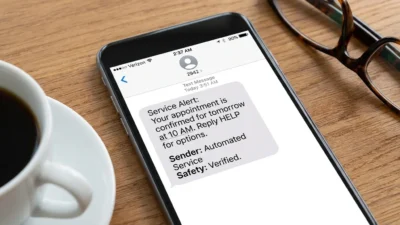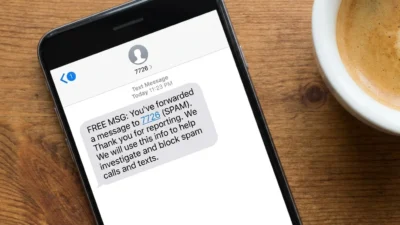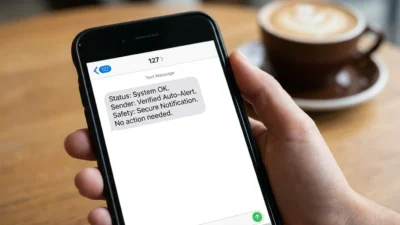
Have you noticed a 128 short code text message in your T-Mobile usage history even though no text from 128 appears in your Messages app? This can be confusing, especially when the entry shows as an incoming text and you do not remember receiving anything. Fortunately, the appearance of 128 in a carrier usage log does not automatically mean someone contacted you, your phone was hacked, or a hidden conversation exists.
For T-Mobile customers, the strongest available explanation is that 128 is associated with carrier-side system activity, particularly voicemail-related events. T-Mobile community responses specifically describe 128 entries appearing when a customer receives a voicemail notification or accesses voicemail.
The important distinction is between a usage-log entry and an ordinary SMS conversation. A carrier can record network activity that never becomes a visible message thread on your phone. Therefore, seeing 128 on your account does not necessarily mean there is a missing text.
This guide explains what the 128 code means, why it can appear on a T-Mobile bill, how voicemail may trigger it, why your phone may show nothing, whether it is connected to Apple devices, and what to do if something about the entry looks unusual.
📱 What Is the 128 Short Code Text Message?
The 128 short code text message is generally encountered as an entry in T-Mobile’s detailed messaging or usage history rather than as a conventional text conversation.
T-Mobile community information identifies 128 with its voicemail system. In particular, users have reported that the code can appear when they receive a voicemail notification or call their voicemail.
That means you should not automatically interpret 128 like a normal telephone number.
Here is the simplest way to think about it:
- 📞 128 is associated with carrier system activity.
- 📬 It can appear when voicemail-related activity occurs.
- 🧾 The entry may be visible in detailed usage records.
- 📱 It may not create a visible conversation in your Messages app.
- 🔄 The exact appearance can vary according to your phone, account, voicemail setup, and T-Mobile’s logging system.
- 💳 Seeing the entry by itself does not prove that you were charged.
T-Mobile’s community forum provides the clearest publicly available explanation: 128 entries are associated with voicemail activity, while 2300 is used for certain multimedia messaging activity.
So, if you are staring at your usage history and wondering, “Who texted me from 128?” the better question is usually, “What network activity caused T-Mobile to record 128?”
🔎 What Does 128 Mean on a T-Mobile Bill?
If 128 appears in your T-Mobile usage details, it is best understood as a system-level usage entry rather than a normal personal text.
For many customers, the most likely connection is voicemail. For example, a 128 entry may coincide with receiving a voicemail notification or checking voicemail. T-Mobile users have repeatedly reported this pattern in the company’s community discussions.
However, it is important not to overinterpret a single entry.
A usage record does not necessarily provide enough information to tell you exactly what happened on your device. The same code can be confusing because the customer-facing record may not explain the underlying network event.
If there is no matching message in your phone’s messaging application, that is not necessarily a problem. The carrier’s usage system and your phone’s visible message inbox serve different purposes.
📞 Why Does 128 Appear After a Voicemail?
Voicemail is the most consistently reported explanation for 128 entries.
When someone leaves a voicemail, your carrier needs to notify your phone that a voicemail is waiting. Your phone may then display a voicemail indicator or update its voicemail interface.
That behind-the-scenes process can generate activity in the carrier’s network records. T-Mobile community responses specifically state that 128 can appear when a customer receives a voicemail notification or calls voicemail.
For example, imagine this sequence:
- 📞 Someone calls you.
- 📵 You do not answer.
- 🎙️ The caller leaves a voicemail.
- 📡 T-Mobile processes the voicemail notification.
- 🧾 Your detailed usage record may show an entry associated with 128.
- 📱 Your phone simply shows the normal voicemail indicator.
You may never see a message saying “128” on your screen.
The same can happen when you access your voicemail. Consequently, seeing several 128 entries does not necessarily mean several people sent you texts.
📲 Does Calling Voicemail Cause a 128 Entry?
A T-Mobile community response specifically identifies two common situations associated with 128:
- 📬 Receiving a voicemail notification.
- 📞 Calling your voicemail.
Therefore, do not assume every 128 entry corresponds to a new voicemail from another person.
You might check your voicemail, delete an old message, or otherwise interact with the voicemail system and later notice an associated usage entry.
This distinction is useful because it explains why the number of 128 entries may not match the number of voicemails you currently have.
If you see 128 repeatedly but have no new voicemail, check whether you recently accessed your voicemail or whether your device’s voicemail service performed background activity.
📱 Why Does 128 Appear on My Bill but Not My Phone?
This is one of the most common questions surrounding the 128 short code text message.
The simple answer is that carrier usage records are not the same thing as your Messages app.
Your phone displays messages intended for you as user-facing communications. Meanwhile, the carrier’s network can record technical events involved in delivering or managing services.
As a result, something can appear in a detailed usage report without appearing as an ordinary text conversation.
Think of it like a package delivery system. The recipient sees the package, but the shipping company maintains additional records showing how the package moved through its network.
Similarly:
- 📱 Your Messages app shows user-facing messages.
- 🧾 Your carrier account can show network-level usage records.
- 📞 Voicemail has its own notification and delivery processes.
- 🔧 System activity does not always create a normal SMS thread.
Therefore, the absence of a 128 conversation on your phone is not, by itself, suspicious.
🍎 Is 128 Connected to iPhone or Apple Watch?
This question is more complicated because reports from T-Mobile customers are not completely uniform.
Some T-Mobile community discussions associate 128 with Apple Watch or other device-related activity, while other responses identify voicemail as the explanation.
That means it is safer to avoid saying that every 128 entry comes from an Apple device.
If you use an iPhone with an Apple Watch, iPad, or another connected service, you can compare the timestamps of the 128 entries with your device activity. However, the most consistently supported explanation remains voicemail-related activity.
If you want a definite answer for your particular line, T-Mobile support can inspect the account and network records associated with it.
💬 Is 128 a Normal SMS Short Code?
Not in the same practical sense as a typical business messaging short code.
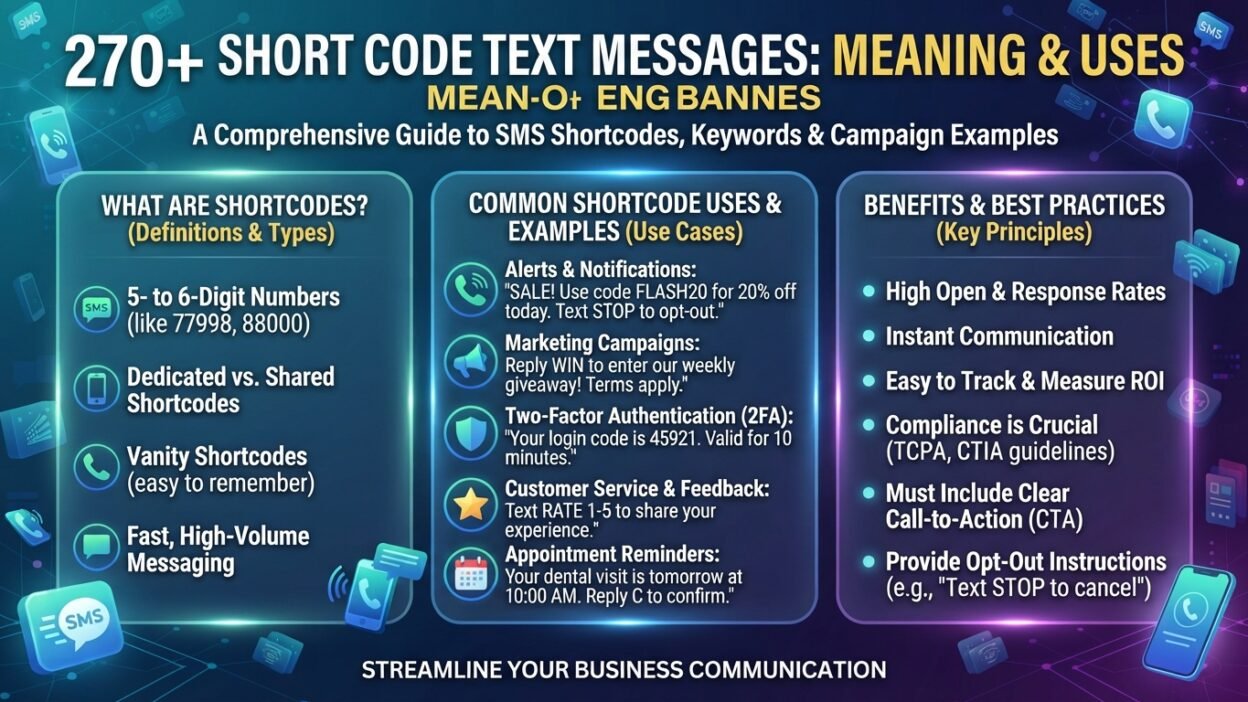
Businesses commonly use SMS short codes for things such as:
- 🔐 Verification codes
- 📣 Marketing alerts
- 🏦 Banking notifications
- 📦 Delivery updates
- 🚨 Service alerts
Those messages are normally designed for customers to read and sometimes respond to.
The 128 entries discussed in T-Mobile usage records are different. They are primarily associated with carrier-side activity, especially voicemail-related events.
Therefore, you should not treat 128 like a normal contact in your address book.
🚫 Can You Text 128 Back?
There is generally no reason to send a message to 128.
If 128 is appearing as a carrier-generated usage entry, it is not functioning like a normal person or business contact. Sending a message to an unfamiliar short code can also create confusion about what service you are actually contacting.
Instead, if your goal is to understand why 128 appears, examine the surrounding usage information and compare its timestamps with voicemail activity.
If something still does not make sense, contact T-Mobile support and ask specifically about the 128 entries on your line.
📨 What Is the Difference Between 128 and 2300?
T-Mobile users often notice 128 and 2300 together, which can make the situation even more confusing.
According to a T-Mobile Community response, 128 is associated with voicemail activity, while 2300 is associated with Multimedia Messaging Service (MMS) routing.
A 2300 entry may therefore be associated with multimedia activity such as:
- 🖼️ Receiving a picture.
- 🎞️ Receiving a GIF.
- 📸 Receiving a screenshot.
- 👥 Participating in a group conversation involving multimedia.
- ❤️ Certain message or media reactions.
The important point is that 128 and 2300 should not automatically be interpreted as two mysterious people texting your phone.
They can represent different types of carrier-side activity.
128 vs. 2300 at a Glance
CodeCommonly associated activityVisible as a normal text?128Voicemail-related activityUsually no2300Certain MMS/multimedia activityUsually noRegular phone numberPerson or organizationUsually yesBusiness short codeAlerts or servicesUsually yes
The exact presentation can vary, so treat this table as a practical guide rather than a guarantee for every T-Mobile account.
🧾 Why Do I See 128 as an Incoming Text?
The word “incoming” can make the entry look particularly suspicious.
After all, if your account says “incoming text,” it is natural to assume that another person sent you an SMS.
However, carrier usage systems can classify network activity differently from the way your phone presents messages.
Therefore, “incoming” does not necessarily mean:
“Someone typed a message to you from the number 128.”
Instead, it can represent activity delivered toward your line through the carrier’s messaging infrastructure.
This explains why the usage record can say “incoming” while your phone contains no corresponding 128 conversation.
🕒 Why Does 128 Sometimes Appear at Strange Times?
You may notice a 128 entry at an unexpected hour and immediately wonder why anyone would be sending you a message at that time.
That assumption can be misleading.
A system-generated network event does not follow the same schedule as a human conversation. Voicemail processing, notifications, device communication, and carrier systems can operate in the background.
So an unusual timestamp does not automatically mean someone was secretly texting you.
Instead, compare the timestamp with:
- 📞 Recent calls.
- 🎙️ Voicemail activity.
- 📱 Device notifications.
- 🔄 Phone or carrier service activity.
- 🧾 Other entries appearing around the same time.
Also remember that carrier usage records may not always represent activity in exactly the same way your phone’s own history does.
🛡️ Is a 128 Short Code Text Message a Scam?
The presence of 128 in a T-Mobile usage record is not, by itself, evidence of a scam.
T-Mobile customers have publicly reported these entries for years, and T-Mobile’s own community discussions connect 128 with voicemail-related activity.
However, this does not mean that every unexpected text message associated with an unfamiliar number is automatically safe.
The important distinction is between:
A 128 usage-log entry
and
An actual suspicious message containing a link, request, or payment demand.
If you receive an actual text that asks you to:
- 🔗 Click an unfamiliar link.
- 💳 Pay money.
- 🔐 Provide a password.
- 🪪 Submit sensitive personal information.
- 📲 Install an unknown application.
- 🎁 Claim an unexpected prize.
Treat that message independently and cautiously.
The number appearing in your carrier usage history should not be used as proof that a suspicious message is legitimate.
💰 Does 128 Mean I Was Charged?
No. The appearance of 128 does not automatically mean you were charged.
A usage entry and a monetary charge are separate questions.
If your bill shows 128 under message activity but no additional fee, there may be nothing you need to do.
If you see an unexpected charge, however, investigate it.
Look for:
- 💵 A separate fee.
- 🧾 Premium messaging charges.
- 📱 Third-party subscriptions.
- 🔔 Unrecognized services.
- 📞 Other unfamiliar activity.
If you cannot identify a charge, contact T-Mobile and ask them to explain the specific billing item.
The important rule is simple: do not assume a charge exists merely because 128 appears in your usage history.
🔍 How to Check Your T-Mobile Usage History
If you want to investigate a 128 entry yourself, start with your T-Mobile account.
The exact menu names can change as T-Mobile updates its website or app, but the general process is straightforward.
- 📱 Sign in to your T-Mobile account.
- 🧾 Open your account or billing information.
- 🔎 Look for usage or detailed usage information.
- 📅 Select the relevant billing period.
- 💬 Review messaging activity.
- 🔢 Locate the entries showing 128.
- 🕒 Write down the dates and times.
- 🎙️ Compare them with voicemail activity.
- 📞 Check whether you accessed voicemail around those times.
- ☎️ Contact T-Mobile if the pattern remains unexplained.
Do not panic if the entries do not correspond perfectly with what you remember doing. Network records can contain technical activity that is not obvious from the phone’s interface.
🧠 What Should You Do If 128 Appears Many Times?
Repeated 128 entries can look alarming, but frequency alone does not prove that something is wrong.
Start by looking for a pattern.
For example, do the entries appear:
- 📅 On particular days?
- 🎙️ Around voicemail activity?
- 📞 After checking voicemail?
- 📱 On a line with connected devices?
- 🔄 During a particular period of network activity?
A pattern can be much more informative than the raw number of entries.
If 128 appears dozens of times and you cannot connect it to any normal activity, contacting T-Mobile is the best next step. Their support team can investigate information that is not visible in your consumer-facing usage history.
⚙️ Can You Block the 128 Short Code?
It is generally not a good idea to block 128 simply because you see it in a usage record.
If the code is associated with voicemail system activity, blocking related communications could potentially interfere with notifications or service behavior.
Instead of trying to block the number, determine why it is appearing.
If you are experiencing unwanted voicemail, notification, or messaging behavior, troubleshoot that service directly.
T-Mobile’s voicemail troubleshooting guidance recommends checking voicemail notifications, updating phone software, and addressing voicemail-related issues when notifications are not working correctly.
🛠️ How to Troubleshoot Unusual 128 Entries
If the entries seem abnormal, work through the problem methodically.
1. Check Your Voicemail
Start with the simplest explanation. Review recent voicemail activity and see whether the timestamps line up.
2. Restart Your Phone
A normal restart can resolve temporary network or notification glitches.
3. Update Your Software
T-Mobile recommends keeping device software updated when troubleshooting voicemail problems.
4. Review Your Account
Look for unexpected charges, subscriptions, or other activity that you do not recognize.
5. Check Connected Devices
If you use an Apple Watch, tablet, or another connected cellular device, note whether it shares services with your phone line.
6. Contact T-Mobile
If the pattern still makes no sense, give T-Mobile the exact dates and times. This makes it easier for support to investigate the records.
📡 Does 128 Mean My Phone Has Been Hacked?
Generally, no.
A 128 entry in a T-Mobile usage record is not sufficient evidence that your phone has been compromised.
There are much stronger warning signs to watch for, including:
- 🔐 Password-reset requests you did not initiate.
- 💳 Unauthorized account charges.
- 📲 Unknown applications.
- 🔑 Unexpected two-factor authentication alerts.
- 👤 Changes to your account that you did not make.
- 📞 Suspicious activity across multiple services.
If you experience these problems, investigate your account security immediately.
But if the only unusual thing you see is a 128 entry in T-Mobile’s usage history, voicemail-related network activity is a much more straightforward explanation.
🍎 Does 128 Mean Someone Is Using My Apple ID?
Seeing 128 in a carrier usage record does not establish that another person is accessing your Apple ID.
If you are concerned about Apple account security, check your Apple account’s signed-in devices and security notifications separately.
Do not connect an unexplained carrier usage entry to account compromise without additional evidence.
The same principle applies to Google accounts, social media, messaging applications, and other online services.
💬 Is 128 Related to WhatsApp?
There is no good reason to treat a 128 carrier usage entry as proof of WhatsApp activity.
WhatsApp is an internet-based messaging service, while T-Mobile’s 128 entries are associated in public T-Mobile discussions with carrier-side activity, particularly voicemail.
Therefore, if you see 128 and also use WhatsApp, do not assume one caused the other merely because the timestamps happen to be close.
Look for direct evidence instead.
This is especially important when interpreting phone records. A timestamp correlation can be interesting, but it does not automatically establish causation.
📞 What If 128 Appears on a Phone Bill With No Voicemail?
That situation can still be confusing.
First, remember that you may have voicemail activity without having a new voicemail waiting right now. For example, the entry may relate to accessing the voicemail system.
T-Mobile community information specifically mentions both receiving voicemail notifications and calling voicemail in connection with 128.
If neither explanation fits your situation, document the entries and contact T-Mobile.
Avoid relying on internet claims that assign every 128 entry to one specific device, application, or person. Carrier systems can change, and individual account configurations differ.
📊 What Does 128 Tell You About Text History?
One of the biggest misconceptions is assuming that a carrier’s usage log is a perfect transcript of every conversation.
A usage report can help you understand network activity, but it may not reproduce the actual content or exact user experience of every message.
Modern phones also use multiple communication technologies, including SMS, MMS, RCS, iMessage, and internet-based messaging apps.
Consequently, the appearance of a strange code does not necessarily provide enough information to reconstruct a conversation.
If you need to investigate account activity, focus on the records that your carrier actually identifies and ask support what each category represents.
🚨 When Should You Contact T-Mobile?
You usually do not need to contact T-Mobile simply because 128 appears.
However, support is worth contacting when:
- 💰 You see an unexplained charge.
- 🔢 The number of entries is unusually high and persistent.
- 📞 Your voicemail is malfunctioning.
- 📱 Your phone stops receiving voicemail notifications.
- 🔐 You notice other suspicious account activity.
- 🧾 Your usage records contain activity you cannot explain.
- ⚠️ A representative has previously told you something different about the entries.
When contacting support, provide the date, time, phone line, and exact description of the entry.
That information gives the representative something concrete to investigate rather than simply asking, “What is 128?”
🔐 How to Keep Your T-Mobile Account Secure
Even though 128 itself is generally not a security warning, good account hygiene is always worthwhile.
Consider these habits:
- 🔑 Use a strong, unique account password.
- 🛡️ Enable available account-security features.
- 📱 Keep your phone software updated.
- 🧾 Review your bill regularly.
- 💳 Investigate unfamiliar charges promptly.
- 🚨 Do not click suspicious links in unexpected messages.
- 👤 Review connected devices and account access.
- ☎️ Contact your carrier through an official support channel when something looks wrong.
These precautions are more useful than trying to block an unexplained three-digit entry.
🧩 128 Short Code Text Message: Common Myths
The mysterious appearance of 128 has led to several misunderstandings.
Myth: “128 is a secret person texting me.”
Reality: A usage-log entry does not establish that a person sent you a message. T-Mobile community information connects 128 with voicemail-related activity.
Myth: “128 automatically means my phone was hacked.”
Reality: The code alone is not evidence of hacking.
Myth: “Every 128 entry means someone left a voicemail.”
Reality: Voicemail is the strongest commonly reported explanation, but 128 can also appear in connection with accessing voicemail.
Myth: “If 128 appears, I have been charged.”
Reality: A usage record and a billable charge are not the same thing.
Myth: “I should immediately block 128.”
Reality: Blocking an unfamiliar system-related entry without understanding it can create unnecessary problems.
Myth: “128 is proof of WhatsApp activity.”
Reality: A carrier usage entry cannot establish that connection.
❓ Frequently Asked Questions About the 128 Short Code Text Message
What is the 128 short code text message?
The 128 short code text message usually refers to a 128 entry found in T-Mobile usage records. T-Mobile community information associates the code particularly with voicemail notifications and calls to voicemail.
Why do I see 128 but no text on my phone?
Because the usage record can reflect carrier-side activity rather than a normal user-facing SMS conversation. The event may therefore appear in your account history without creating a visible 128 message thread.
Is 128 a scam?
The appearance of 128 in a T-Mobile usage record is not, by itself, evidence of a scam. It is commonly associated with carrier voicemail activity. However, evaluate any actual suspicious message separately.
Does 128 mean someone called my voicemail?
It can. T-Mobile community information specifically reports 128 entries when customers receive voicemail notifications and when they call voicemail.
Can I block 128?
You generally should not try to block it simply because it appears in your usage history. If you are having voicemail or messaging problems, troubleshoot the underlying service or contact T-Mobile.
Is 128 connected to Apple Watch?
Some T-Mobile customer reports have associated 128 with Apple Watch or other connected-device activity, but the publicly documented explanations are not completely consistent. Voicemail remains the clearest recurring explanation in T-Mobile’s community discussions.
What is the difference between 128 and 2300?
T-Mobile community information associates 128 with voicemail activity and 2300 with multimedia messaging activity, including certain picture, GIF, screenshot, and group-message events.
Should I worry if 128 appears several times?
Not necessarily. Repeated entries can result from recurring network or voicemail activity. If they coincide with unexplained charges or other unusual account behavior, contact T-Mobile for clarification.
Does 128 mean someone is secretly texting me?
No conclusion like that can be drawn from the code alone. A 128 usage entry is not proof of a hidden conversation, secret contact, or unauthorized messaging.
What should I do if 128 has a charge beside it?
Review the exact billing item and contact T-Mobile if the charge is unfamiliar. The mere appearance of 128 does not mean that a fee was applied.
Conclusion
The 128 short code text message is much less mysterious once you understand the difference between a carrier usage record and a normal text conversation. For T-Mobile customers, the strongest available explanation is that 128 is associated with carrier-side voicemail activity, including voicemail notifications and accessing voicemail. Seeing it in your usage history does not automatically mean someone secretly contacted you, your phone was hacked, or you were charged. Because account configurations and network systems can vary, unusual patterns should still be investigated rather than ignored blindly. If the entry appears without any other concerning activity, it is usually best treated as a technical usage record. If you see unexplained charges, security alerts, or persistent behavior that does not match your account activity, contact T-Mobile and provide the exact dates and times so they can investigate the underlying records.