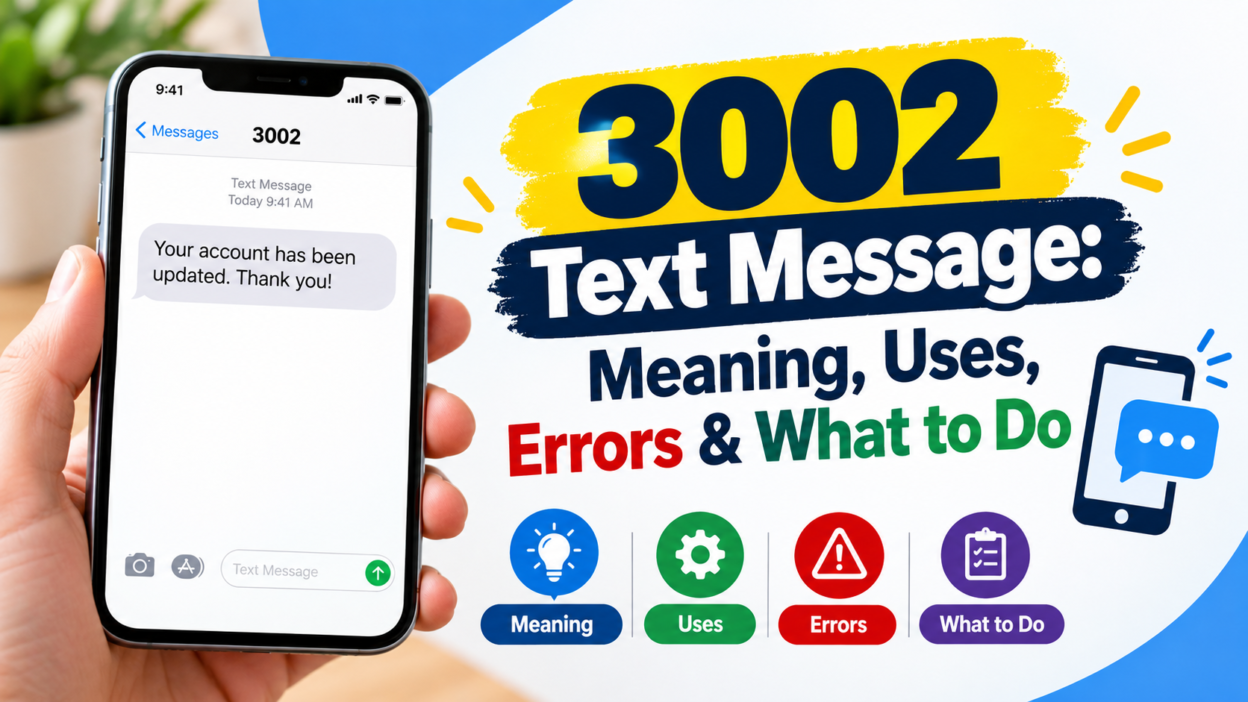
If you received a 3002 text message, you may be wondering whether it is a texting abbreviation, a company code, a network error, or something you should worry about. The important point is that 3002 does not have one universal meaning in text messaging. Its meaning depends on the service, mobile network, country, and the exact message or error where you saw it.
In some messaging systems, 3002 is an error code associated with a rejected message. For example, SMSGlobal documents 3002 as “Message Rejected” when its messaging system cannot complete the requested service. In other situations, 3002 can function as a short code used by a particular organization or service. New Zealand’s SMS directories, for instance, list 3002 for NZME Holdings IT system alerts.
Therefore, the number alone isn’t enough to identify the sender or purpose. The surrounding details matter.
What Does 3002 Mean in a Text Message?
A 3002 text message can refer to several different things. It isn’t a standard internet slang term like “LOL,” “BRB,” or “IDK.” Instead, 3002 is generally better understood as a numeric code, short code, or technical status code.
For example, one messaging platform uses 3002 to describe a rejected message. Its documentation explains that the server couldn’t complete the requested service.
However, the same four digits can represent a completely different service elsewhere. Short codes are often assigned to specific organizations, alerts, campaigns, or automated messaging systems. As a result, seeing 3002 on your phone doesn’t automatically mean that your message failed.
The easiest way to understand it is to ask where you saw the number.
Was 3002 shown as the sender? Did it appear inside an error notification? Did you receive a normal message from it? Or did you see it while sending an SMS or MMS?
Each situation can point to a different explanation.
Is 3002 a Texting Abbreviation?
No, 3002 isn’t generally recognized as a universal texting abbreviation.
People commonly use abbreviations such as “LOL,” “OMG,” “BTW,” and “TTYL” because those combinations have widely understood meanings in casual digital communication. By comparison, 3002 is normally connected with a system, service, short code, or technical process.
That distinction is useful because it prevents a common mistake. If a friend sends you “3002,” you shouldn’t automatically assume that the number has a hidden slang meaning.
Instead, consider the conversation around it.
For instance, if someone sends:
“Check 3002. The message failed.”
they may be referring to a technical error.
On the other hand, if your phone displays:
“3002” as the sender
the number may represent a short-code service rather than a person.
So, context is more useful than trying to decode the digits as ordinary chat slang.
3002 as a Message Rejection Error
One documented use of 3002 occurs in MMS and messaging technology.
SMSGlobal’s technical documentation lists 3002 as “Message Rejected.” The description says the server could not complete the requested service.
This type of code is different from a message received from a short-code sender. Here, 3002 describes a problem within a messaging system.
In simple terms, the system attempted to process a message-related request but couldn’t complete it.
Several technical circumstances can lead to a rejected message. The exact cause depends on the messaging platform, application, carrier, and type of request involved.
For example, the problem could involve:
- An unsupported messaging operation
- An application or server issue
- An invalid request
- A temporary service problem
- A restriction affecting the message
- A problem between messaging systems
Importantly, 3002 by itself doesn’t identify the precise cause. The platform generating the error may provide additional information that explains what happened.
Therefore, if you see 3002 while sending a message, read the complete error notification instead of focusing only on the number.
3002 Can Have Different Meanings on Different Networks
Mobile messaging isn’t controlled by one worldwide system.
Different carriers, messaging platforms, countries, and service providers can assign numeric codes differently. Consequently, a code that means one thing in one system may have another purpose elsewhere.
A good example comes from Smart Communications in the Philippines. Smart’s support documentation identifies VD#3002 as an error indicating that a retailer’s load wallet is not yet active. The company provides specific steps for activating the wallet and also notes that temporary system availability can affect the process.
That example is important because it shows why copying an explanation from another website can be misleading.
Someone searching for “3002 text message” might find an explanation for an MMS error. Another person could encounter 3002 through a completely different service.
The number is the same, but the system isn’t.
Therefore, always identify the platform before deciding what 3002 means.
3002 as an SMS Short Code
Another possibility is that 3002 is being used as an SMS short code.
Short codes are abbreviated numbers used by organizations and automated services to communicate through text messaging. They can be associated with alerts, authentication, marketing, notifications, reporting systems, and other services.
For example, a New Zealand SMS directory lists 3002 for NZME Holdings IT system alerts across several mobile networks.
This means that someone receiving a message from 3002 in that environment could be seeing an automated organizational notification rather than a personal text from an unknown individual.
The same principle applies to short codes in other countries. Their assignments can differ by region.
That is why your location and carrier can matter when identifying a numeric sender.
Why Did I Receive a 3002 Text Message?
If 3002 appeared as the sender of a text, there are several possible explanations.
First, it could be an automated notification from a business or organization using a short code. Such messages can include alerts, reminders, account information, service updates, or other automated communications.
Second, the number could be associated with a particular messaging service in your country.
Third, it could be connected to a technical system rather than a customer-facing service.
Finally, the message could be unrelated to the meaning you found on another website. Numeric codes are highly context-dependent.
Look at the actual content of the message before taking action.
For example, a message saying:
“Your system alert has been generated.”
has a very different context from:
“Message could not be delivered.”
The sender number alone doesn’t tell the whole story.
What Should You Do After Receiving 3002?
The safest response depends on the content of the message.
If the text clearly identifies a company or service you recognize, compare the information with your recent activity. You may have recently requested a notification, used a service, or triggered an automated alert.
If the message contains a verification code, don’t share that code with another person unless you independently know why you received it.
Similarly, don’t click an unexpected link simply because the sender appears to be a short code. A short numeric sender doesn’t automatically prove that every message associated with it is trustworthy.
Instead, verify the service independently when necessary.
If you don’t recognize the message, you can usually leave it unanswered while you investigate its source. Avoid providing personal information just to discover why the message arrived.
What If 3002 Appears When You Send a Message?
The situation changes if 3002 appears while you’re trying to send an SMS or MMS.
In that case, it may be a technical status or rejection code rather than the identity of a sender.
For one documented MMS system, 3002 specifically means that the message was rejected because the server couldn’t complete the requested service.
Start by checking whether the message failed completely or whether the recipient eventually received it.
Next, try a simple text without an attachment. If the plain message works but a picture or multimedia message fails, the problem may be related to MMS processing rather than ordinary SMS.
You can also restart your phone and check your network connection. If the error continues, your carrier or messaging provider may need to investigate the account or service.
Don’t assume that every 3002 error has the same technical fix. The correct solution depends on the system that produced the code.
3002 vs. 30002: Why the Extra Zero Matters
Numbers that look almost identical can represent completely different services.
For example, historical information about mobile services has documented 30002 as a short code used for an SMS-based Twitter service in South Africa. That is not the same number as 3002.
This difference may seem minor, but it can completely change the result of a search.
When investigating a numeric text code, check every digit carefully.
Don’t search for 30002 when your phone actually shows 3002. Likewise, don’t remove a zero from a longer short code because the numbers appear similar.
A single digit can identify a different service, carrier assignment, or technical system.
Where You See 3002 Makes a Big Difference
The location of the number on your phone can provide an important clue.
If 3002 appears as the sender
It may be a short code associated with an automated service or organization.
If 3002 appears in an error message
It may be a technical status code describing a failed or rejected operation.
If 3002 appears inside a normal conversation
It could simply be a number someone intentionally typed.
If 3002 appears in a carrier notification
The mobile provider may be using its own internal code system.
If 3002 appears in an app
The application may have assigned the number to a particular error or service process.
Consequently, don’t treat every occurrence of 3002 as the same thing.
Is a 3002 Text Message Dangerous?
The number 3002 alone doesn’t prove that a message is safe or dangerous.
A legitimate organization can use a short code for automated communication. At the same time, an unexpected message can contain unwanted or deceptive content regardless of the sender format.
Pay attention to what the message asks you to do.
Be cautious if it requests passwords, payment information, security codes, banking details, or other sensitive information. Unexpected links also deserve careful attention.
For example, suppose you receive a message claiming that your account has been suspended and asking you to click a link immediately. Instead of using the link, open the company’s official app or website separately and check your account there.
This approach reduces the risk of interacting with a deceptive message.
Remember that urgency isn’t proof of legitimacy.
Common Mistakes When Searching for 3002
People often make a few simple mistakes when trying to identify a numeric text code.
The first mistake is assuming there is one universal meaning. Numeric codes can be reused by unrelated systems.
The second mistake is confusing a sender code with an error code. A short code displayed as a sender isn’t necessarily an error.
The third mistake is ignoring the country. Short-code assignments can vary by region.
The fourth mistake is overlooking the complete notification. The words around the number often provide more information than the number itself.
The fifth mistake is confusing similar numbers. Codes such as 3002 and 30002 shouldn’t be treated as interchangeable.
Avoiding these mistakes can make the identification process much easier.
How to Identify the Correct Meaning of 3002
If you’re trying to determine what your particular 3002 message means, follow a simple process.
Start by checking the exact wording of the message.
Next, determine whether 3002 is shown as the sender or as an error code.
Then check your country and mobile carrier.
After that, think about what you were doing immediately before the message appeared. Did you send an MMS? Request a service? Log into an account? Receive an automated notification?
Finally, look for a support page from the relevant carrier, application, or organization.
This method is more reliable than searching for a generic definition and assuming it applies to your phone.
In particular, technical documentation can use the same numeric code in a very specific environment. For example, SMSGlobal’s documentation defines 3002 within its MMS system, while Smart uses VD#3002 in a different operational context.
When You Should Contact Your Carrier
You may not need to contact your carrier for every 3002 message.
However, support can be useful when the code repeatedly appears and prevents you from sending or receiving messages.
Consider contacting your carrier if:
- Messages repeatedly fail with 3002.
- MMS messages won’t send.
- The error continues after restarting your phone.
- Your account appears to have a messaging restriction.
- You receive unexpected carrier-related notifications.
- You cannot determine which service generated the message.
Before contacting support, take a screenshot of the complete error if possible. Include the time it appeared and whether you were sending an SMS, MMS, or using another messaging feature.
That information can help support staff identify the relevant system.
How 3002 Can Appear in Different Real-World Contexts
A numeric code can look mysterious until you place it in context.
Imagine a student receiving an automated school notification. In that situation, 3002 could be a sender code assigned to a messaging service.
Now consider someone sending a photo to a friend and receiving an error containing 3002. That could point toward an MMS or messaging-system problem.
A business employee might encounter the number inside an automated alert system. Meanwhile, a mobile-service retailer could encounter a carrier-specific 3002 error related to account operations.
These examples illustrate an important principle: the meaning comes from the system and context, not simply from the four digits.
Therefore, don’t rely on a universal slang dictionary when investigating 3002.
Frequently Asked Questions About 3002 Text Message
Is 3002 a secret texting code?
Not generally. 3002 isn’t a widely recognized universal texting abbreviation. It can instead function as a technical code or short code, depending on the service.
Does 3002 mean my text failed?
It can, but not in every situation. Some messaging systems use 3002 for a rejected message. If 3002 appears as the sender of a normal text, it may have an entirely different purpose.
Is 3002 a phone number?
Usually, a four-digit number such as 3002 is more consistent with a short code or system code than a conventional personal mobile number. However, its exact function depends on the country and service.
Can 3002 belong to a company?
Yes. Some organizations use 3002 as an SMS short code. For example, a New Zealand SMS directory lists 3002 for NZME Holdings IT system alerts.
Should I reply to a 3002 text?
Don’t reply automatically. First determine who sent the message and why. If the message is unexpected, verify the service through an independently accessed official channel.
Why does 3002 appear when I send an MMS?
In some messaging systems, 3002 means “Message Rejected,” indicating that the server couldn’t complete the requested service. Your specific carrier or application may use the code differently.
Is 3002 the same as 30002?
No. They are different numbers. Even one additional digit can identify a different short code or service, so check the number carefully.
How can I find out exactly what my 3002 message means?
Read the complete message, identify whether 3002 is the sender or an error code, check your carrier and country, and look for documentation from the relevant service. If the issue continues, contact the carrier or service provider.
Conclusion
A 3002 text message doesn’t have one fixed meaning across every phone, carrier, and messaging platform. In documented systems, 3002 can represent a rejected messaging request, while elsewhere it can function as an SMS short code connected to a particular organization or service. The most reliable way to identify it is to examine the complete message, determine where the number appears, and consider your carrier, country, and recent activity. If the message asks for sensitive information or contains an unexpected link, verify the sender independently before taking action. When 3002 repeatedly appears as a technical error, the relevant carrier or messaging provider can provide the most accurate explanation for that specific system.