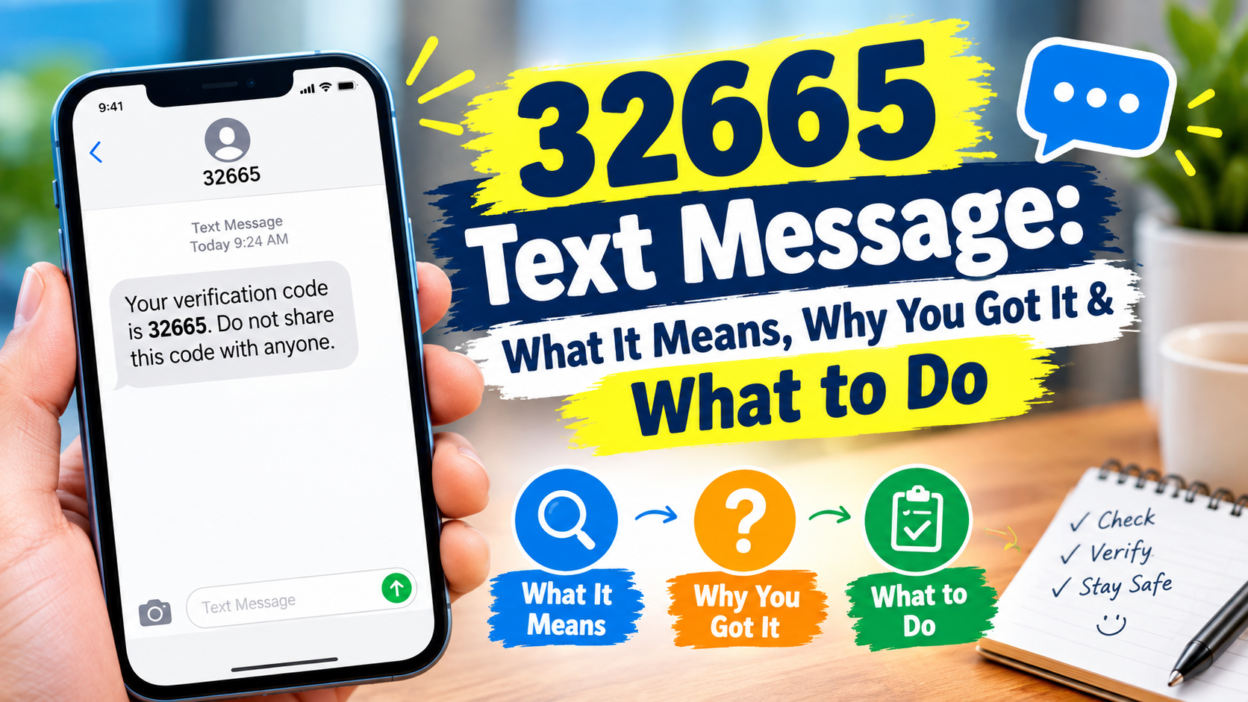
If you received a 32665 text message, you may be wondering who sent it and whether you need to worry. In the United States, 32665 has long been associated with Facebook’s SMS service. The number also spells “FBOOK” on a traditional phone keypad, which helps explain its connection with Facebook.
A message from 32665 can relate to Facebook account activity, security codes, SMS notifications, or account-related actions. However, the exact meaning depends on the wording of the message and what you were doing when it arrived.
For example, you might receive a verification code while signing in. You could also receive a notification because Facebook texts are enabled on your account. Therefore, seeing 32665 by itself doesn’t tell you exactly what happened.
This guide explains what the number means, why you may receive a message from it, how to recognize legitimate alerts, and what to do if you didn’t request the message.
What Is 32665?
32665 is a five-digit SMS short code associated with Facebook’s text messaging service in the United States. A short code is a special number businesses and online services can use to send or receive text messages.
Facebook has used 32665, or “FBOOK,” for SMS-related features. These features have included account notifications and security-related messages. Twilio also documents 32665 as Facebook’s short code for commands such as STOP, START, HELP, and OTP.
The number is different from an ordinary mobile phone number. Instead of seeing a long telephone number, you may see only five digits in the sender field.
That can make the message look unusual. Nevertheless, the short-code format itself isn’t evidence that a message is fraudulent.
Keep in mind that SMS services can vary by country, carrier, and service configuration. A number associated with Facebook in one market shouldn’t automatically be assumed to work the same way everywhere.
Why Did I Get a 32665 Text Message?
There are several possible reasons for receiving a message from 32665.
The most common explanation is Facebook account activity. For example, you may have requested a login code, password-related verification, or another security action.
You may also have Facebook SMS notifications enabled. Historically, Facebook’s SMS service has been used for notifications such as account activity and other Facebook updates.
Another possibility is that someone entered your phone number during a Facebook login or recovery attempt.
That doesn’t necessarily mean the person successfully accessed your account. A verification message can appear simply because someone entered your number into a login or recovery process.
In some situations, the number may have been entered accidentally. A person could mistype a phone number and unintentionally trigger a message to someone else.
Therefore, don’t panic simply because an unexpected code arrived. Instead, look at the message carefully and check your Facebook account directly.
What Does a 32665 Security Code Mean?
A security code from 32665 usually indicates that a Facebook authentication process has been initiated.
For example, you might see a message containing a temporary code and instructions to use it during a Facebook login or security process.
If you personally requested the code, the process is straightforward. Open Facebook through the app or by entering the website address yourself. Then use the code only in the appropriate Facebook security screen.
Don’t give that code to another person.
A verification code is designed to prove that the person completing the login or security process has access to the phone number connected with the account. Consequently, someone asking you to forward the code may be trying to use your code for their own login.
The important distinction is simple:
- You requested the code: use it only on the Facebook screen you opened.
- You didn’t request it: don’t share or enter it anywhere.
- Someone asks you for the code: don’t give it to them.
- The message contains a suspicious link: open Facebook independently instead.
That approach reduces the chance of turning an unexpected SMS into an account-security problem.
Does 32665 Mean Someone Is Trying to Log Into Facebook?
Not necessarily, but an unexpected security code deserves attention.
If you receive a Facebook login or verification code without requesting one, someone may have entered your phone number during a login, password-reset, or account-verification process.
That person could be you forgetting that you started a process earlier. Alternatively, they could be another person entering the wrong number.
There is also a more concerning possibility: someone may be attempting to access your account.
However, receiving the code alone doesn’t prove that someone successfully logged in.
The verification step exists precisely because the service requires another piece of information. If you keep the code private and don’t approve an unfamiliar login, the unwanted attempt may go no further.
For extra protection, open Facebook directly and review your recent account activity. If you see an unfamiliar session, device, or security change, follow Facebook’s account-security options rather than instructions contained in an unexpected text.
Is a 32665 Text Message Legitimate?
A message from 32665 can be legitimate because the number has been used for Facebook SMS services. However, you should judge the message itself, not only the sender number.
That’s important because scammers can imitate brands and use familiar wording. Third-party reports also show that users have reported suspicious messages associated with 32665, so the sender number shouldn’t be treated as a guarantee of safety.
Look at the context.
A normal security message might provide a temporary verification code connected with an action you just started. By contrast, a suspicious message may pressure you to click a link, reveal a code, provide personal information, or contact an unknown person.
Urgency is another warning sign.
For instance, a message saying that your account will immediately disappear unless you follow a strange link should receive more scrutiny than a simple verification code you requested yourself.
When in doubt, don’t use the link or reply with sensitive information. Instead, open Facebook independently and check your account.
What Should You Do If You Didn’t Request the Message?
An unexpected message doesn’t automatically mean your Facebook account has been hacked.
Start by leaving the code alone. Don’t enter it into a website unless you personally initiated the corresponding Facebook action.
Next, open Facebook directly. Avoid using a link included in the unexpected SMS.
Check your account’s security activity if you are concerned. Look for unfamiliar devices, sessions, or changes to your account information.
You can also change your password if the message appears connected to an unfamiliar login attempt. Choose a strong password that you don’t reuse on other websites.
Furthermore, make sure your account has an appropriate security method enabled. Two-factor authentication can provide another layer of protection because a password alone isn’t enough to complete a protected login.
Most importantly, don’t let another person guide you through the process while asking you to read out the code.
A legitimate service doesn’t need you to send your private verification code to a stranger.
Never Share Your 32665 Verification Code
This is one of the most important rules when dealing with unexpected authentication messages.
Suppose you receive:
“Your Facebook confirmation code is 123456.”
A few seconds later, someone contacts you and says they accidentally used your number. They ask you to send them the six-digit code.
Don’t do it.
The story may sound convincing, but the code is still an authentication credential. Giving it away could allow another person to complete an account action associated with your number.
The same principle applies if someone claims to be:
- A Facebook representative
- A Marketplace buyer
- A seller
- A friend
- A technical-support agent
- An account-recovery specialist
The person’s identity doesn’t change the security rule.
Instead, keep the code private and handle your account through Facebook’s own interface.
Can a 32665 Message Be a Scam?
The number itself has a legitimate connection with Facebook SMS services, but scammers can exploit legitimate-looking messages.
For example, a scammer might send a message designed to make you believe that your Facebook account has a problem. The message may then encourage you to click a link or contact someone who claims to provide support.
Another common tactic involves a verification code.
The scammer attempts to sign in using your phone number. Facebook sends a genuine code to your phone. The scammer then contacts you and invents a reason for needing that code.
In this situation, the SMS can be genuine while the person’s request is fraudulent.
That’s why context matters.
A genuine-looking code doesn’t prove that the person asking for it is legitimate. Likewise, a familiar sender number doesn’t mean every message associated with it should be trusted automatically.
Signs That a Message Deserves Caution
Pay attention if the text asks you to take an unusual action.
For example, be cautious when a message:
- Requests your password
- Asks you to send a verification code
- Demands payment
- Requests banking information
- Uses threats or extreme urgency
- Sends you to an unfamiliar website
- Tells you to install software
- Asks for identity documents unexpectedly
- Claims to be Facebook support through a random contact
- Pressures you to continue a conversation outside Facebook
These signs don’t prove fraud individually. Nevertheless, several of them together should make you stop before responding.
You can verify your account independently instead.
That means opening the Facebook app yourself rather than trusting the path provided by an unexpected message.
What Does “STOP” to 32665 Do?
Facebook SMS services have supported commands such as STOP and START. Twilio’s documentation specifically describes STOP as a way to deactivate Facebook SMS notifications and START as a way to reactivate them. HELP and OTP have also been documented as supported commands.
If you’re receiving unwanted Facebook SMS notifications, stopping them can be useful.
However, don’t automatically reply to every suspicious message with STOP.
If the message appears fraudulent or contains unusual instructions, it’s safer to manage your Facebook settings directly. That approach avoids interacting unnecessarily with a potentially deceptive sender.
Also remember that SMS availability and commands can depend on your location, carrier, and current Facebook service configuration.
Therefore, use Facebook’s current account settings when possible.
How to Stop Unwanted Facebook Text Messages
If you no longer want Facebook SMS notifications, you can review the mobile or notification settings connected with your account.
Facebook’s SMS system has historically allowed users to stop notifications through a STOP command to 32665.
You can also check your account settings directly.
Start by opening Facebook yourself. Then review the notification and mobile-phone settings associated with your account.
Look for SMS or text-message notification controls and disable the categories you don’t need.
The exact menus can change as Facebook updates its interface. Therefore, don’t rely on an old screenshot or outdated step-by-step guide if the labels look different.
If your goal is simply to stop receiving messages, managing the setting inside your account is generally easier to verify than responding to an unexpected text.
What If 32665 Keeps Sending Messages?
Repeated messages can have several explanations.
Your account may have SMS notifications enabled. Someone could also be repeatedly attempting an account action using your phone number. In another situation, your number might have been connected to an account or service by mistake.
First, identify what the messages actually contain.
Are they ordinary notifications? Security codes? Password-reset messages? Or requests containing links?
The answer changes what you should do next.
If they’re ordinary notifications, review your Facebook SMS preferences.
If they’re repeated security codes that you didn’t request, secure your Facebook account and review recent login activity.
Meanwhile, don’t respond to people who contact you asking for the codes.
Repeated codes are particularly important to keep private because each one may represent a separate authentication attempt.
32665 Text Message and Facebook Password Resets
A password-reset message generally means that someone started a password-recovery process involving your account information.
That person could be you.
For instance, you might have forgotten your password and requested a reset. In that case, the message is expected.
If you didn’t initiate the process, don’t complete it simply because the text arrived.
Instead, open Facebook independently and check your account. If necessary, change your password and review account-security activity.
A password-reset code isn’t proof that someone has already taken control of your account. The code is part of the security process.
Therefore, keeping it private is crucial.
If someone says they need the code to “cancel” a reset, don’t provide it. Use Facebook’s own recovery and security options instead.
Could Someone Have Entered My Phone Number by Mistake?
Yes, an accidental number entry is possible.
Phone numbers are easy to mistype, especially when someone is entering information quickly. If another person enters your number during a Facebook login or recovery process, you could receive an unexpected SMS.
That doesn’t automatically mean someone knows your password.
Likewise, it doesn’t prove that someone is targeting you personally.
Still, you should treat an unexpected security code carefully.
Don’t share it. Don’t click unfamiliar links. Then check your Facebook account directly if the message concerns security.
If no suspicious activity appears and the messages stop, the incident may have been nothing more than a mistaken number entry.
How to Check a 32665 Message Safely
The safest approach is to separate the message from the account.
Don’t use the SMS as your only source of instructions.
Instead, open Facebook yourself through the official app or a website address you already know. Sign in normally and review the relevant security or notification area.
Then ask three simple questions:
Did I request this?
If yes, the code may be expected.
Does my Facebook account show related activity?
If yes, follow the security process from inside your account.
Is someone asking me to provide the code?
If yes, don’t share it.
This method works because you aren’t depending on a stranger’s explanation of what the text means.
32665 vs. a Regular Phone Number
The biggest difference is the format.
A regular phone number typically contains a larger number of digits and can belong to an individual or business. A short code such as 32665 is designed for automated SMS communication.
That makes short codes useful for large services that need to send messages to many users.
The 32665 code has been associated with Facebook’s SMS functionality in the United States.
However, a short code isn’t the same thing as a personal support line.
You shouldn’t assume that a person is sitting behind 32665 waiting to have a conversation with you.
Most importantly, don’t treat a text conversation as proof that someone claiming to represent Facebook is genuine.
Does 32665 Work the Same in Every Country?
Not necessarily.
SMS short codes can vary according to country, telecommunications provider, and service availability. Third-party information about Facebook’s SMS service also notes that the number can differ in some countries.
Therefore, someone outside the United States shouldn’t automatically assume that 32665 is the correct Facebook SMS number for their location.
This matters especially when researching old articles or forum posts.
A guide written several years ago may describe a service configuration that has changed. Likewise, carrier support can change over time.
For current account actions, your own Facebook settings are a better reference than an old list of SMS commands.
Common Mistakes to Avoid
People often make the same few mistakes when they receive an unexpected security message.
First, they share the code because another person sounds convincing.
Second, they click a link immediately because the message creates urgency.
Third, they assume that receiving a code means their account has already been hacked.
Fourth, they reply to a suspicious message without checking the account directly.
Finally, some people ignore repeated security messages completely.
A better approach is simple: don’t share the code, don’t rush, and verify activity directly through Facebook.
That gives you time to understand what’s happening before taking action.
What Should You Do If You Already Shared the Code?
If you already gave a 32665 verification code to someone else, take action promptly.
Open Facebook directly and review your account security.
Change your password if you suspect that someone may have used the code. Make sure your new password is unique.
Next, check active sessions or logged-in devices. Sign out of unfamiliar sessions where appropriate.
Review your account details for unexpected changes. Pay particular attention to your email address, phone number, password, and security settings.
If you notice suspicious activity, use Facebook’s official account-recovery and security tools.
Don’t continue communicating with someone who pressured you for the code.
Even if they claim that the problem is resolved, your account security should be handled through Facebook itself.
Frequently Asked Questions About 32665 Text Messages
What is 32665 used for?
32665 is a Facebook-associated SMS short code in the United States. It has been used for Facebook notifications and security-related text messages.
Is 32665 a real Facebook number?
32665 has been used as Facebook’s SMS short code, commonly known as FBOOK. However, you should still evaluate the content and context of each message rather than trusting any text automatically.
Why did I receive a Facebook code from 32665 when I didn’t request one?
Someone may have entered your phone number during a Facebook login or recovery attempt. It could also be a mistaken number entry. Don’t share the code, and check your account directly if you’re concerned.
Should I give a 32665 verification code to someone who asks?
No. Keep verification codes private. If another person asks you to forward a Facebook security code, don’t provide it.
How do I stop texts from 32665?
Facebook SMS services have supported the STOP command for disabling text notifications. You can also review your Facebook mobile and notification settings directly.
Does receiving a 32665 code mean someone hacked my Facebook account?
Not necessarily. A code can result from your own activity, a mistaken phone-number entry, or another login attempt. Receiving the code alone doesn’t prove that someone successfully accessed your account.
Can scammers use 32665 messages?
Scammers can exploit legitimate-looking Facebook security messages or use a genuine verification code as part of a social-engineering attempt. Never give a security code to someone who contacts you asking for it.
Is 32665 the same in every country?
No. SMS short-code availability can vary by country and carrier. The 32665 association is particularly relevant to Facebook’s U.S. SMS service.
Conclusion
A 32665 text message is commonly associated with Facebook’s SMS service in the United States. It can relate to account notifications, verification, login activity, or other Facebook SMS functions.
An unexpected message doesn’t automatically mean your account has been hacked. However, you should treat security codes carefully. Never share them with another person, even if that person claims to be a friend, buyer, Facebook employee, or support representative.
When something looks unusual, open Facebook directly instead of relying on links or instructions inside the text. Check your account activity, review your security settings, and change your password if necessary.
Most importantly, slow down before responding. A few seconds of caution can prevent an authentication code from becoming an account-security problem.